D-Books · Accounting
Invoices arrive, entries post, bank lines match
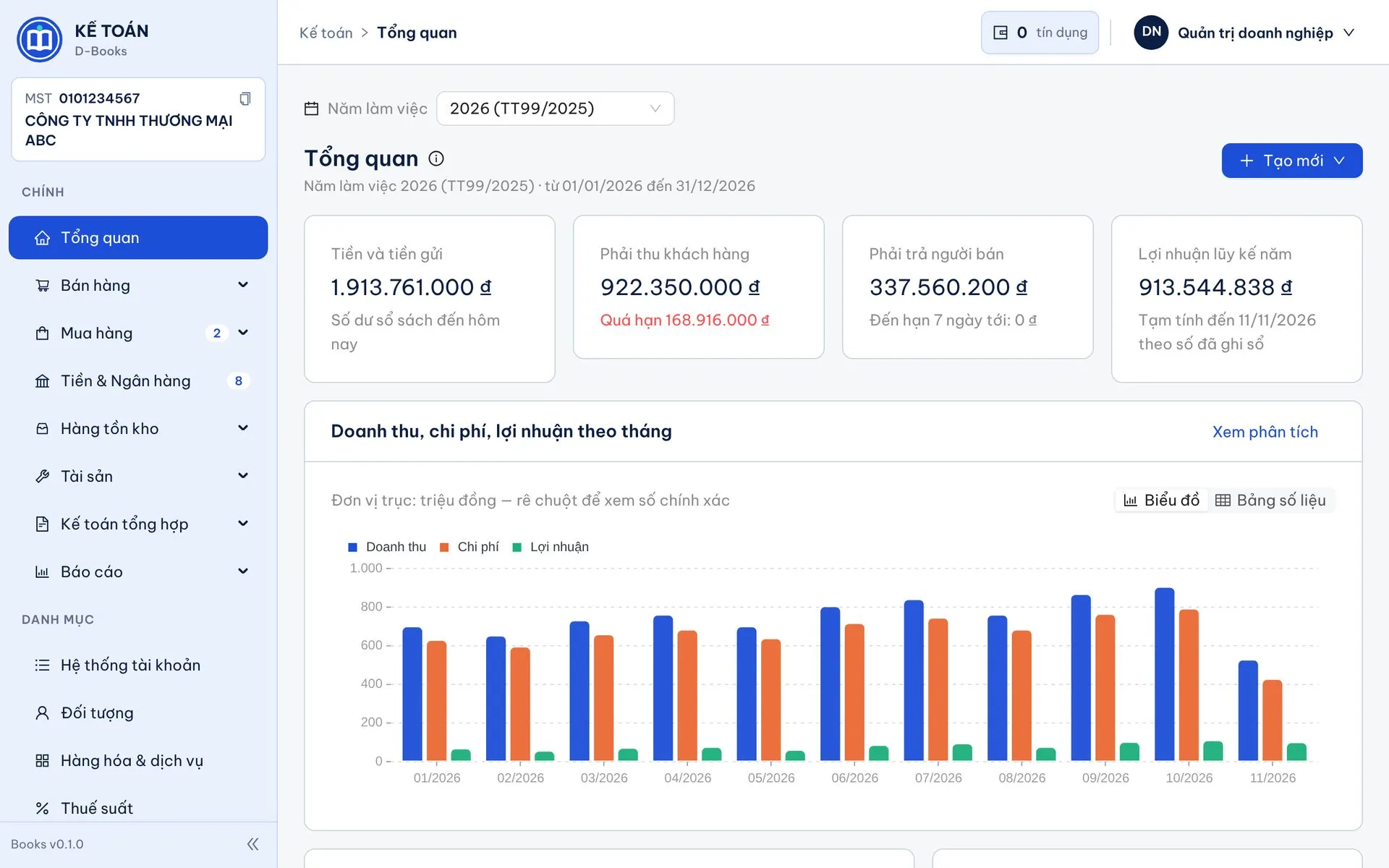
D-Books (Accounting) with D-Manage (Invoice Management): invoices pulled from the tax portal every night, entries drafted from your rules, statements matched automatically, period-end in one click, reports under Circulars 99 and 200. Your accountants just review and approve.
- AI
- set-up help and posting suggestions
- Nightly
- invoice sync from the tax portal
- Xero-style
- bank reconciliation
- Circ. 99 · 200
- regime set per fiscal year
How one invoice flows through the system
From the moment the seller issues it to the financial statements, users touch only two things: approving the entry and clicking "OK" during bank reconciliation.
- 01 · Source
Tax portal
Purchase and sales invoices, including cash-register invoices.
- 02 · D-Manage
Download, code
Nightly sync, account and item rules per supplier.
- 03 · D-Books
Draft entries
Lines, accounts and tax filled in; accountants review and approve.
- 04 · Bank
Pay, reconcile
Statements matched automatically; fees and interest posted by rules.
- 05 · Period-end
Books, statements
Cost of goods, depreciation, closing entries, lock, B01 · B02 · B03.
Set-up assistant
Move from your old software in one session
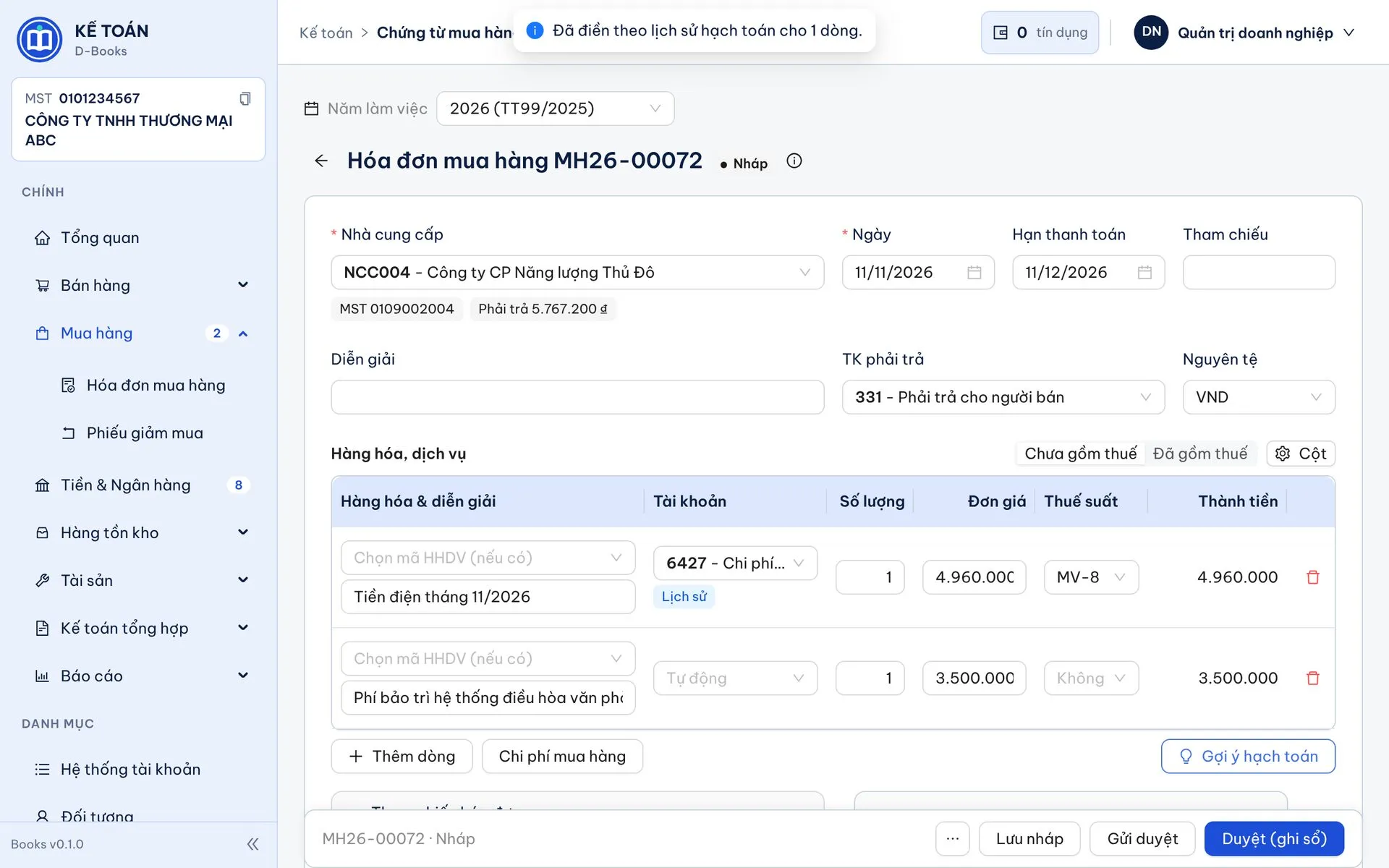
Export Excel or CSV from your current software and drop it into the set-up assistant: D-Books recognises each file, maps old accounts to the Circular 99 chart, cross-checks everything, then writes opening balances, invoice-level receivables and payables, stock and the fixed asset register in one go.
- Seven file types: trial balance, receivables, payables, stock, contacts, items, fixed assets and prepaid expenses
- Circular 200-style sub-accounts (1111, 2112…) are recreated under Circular 99 accounts
- Cross-checks: receivables must match 131/331, stock must match inventory accounts; mismatches are blocked and explained
- Preview, dry-run and undo; D-Books backs up before applying
D-Manage · Invoice Management
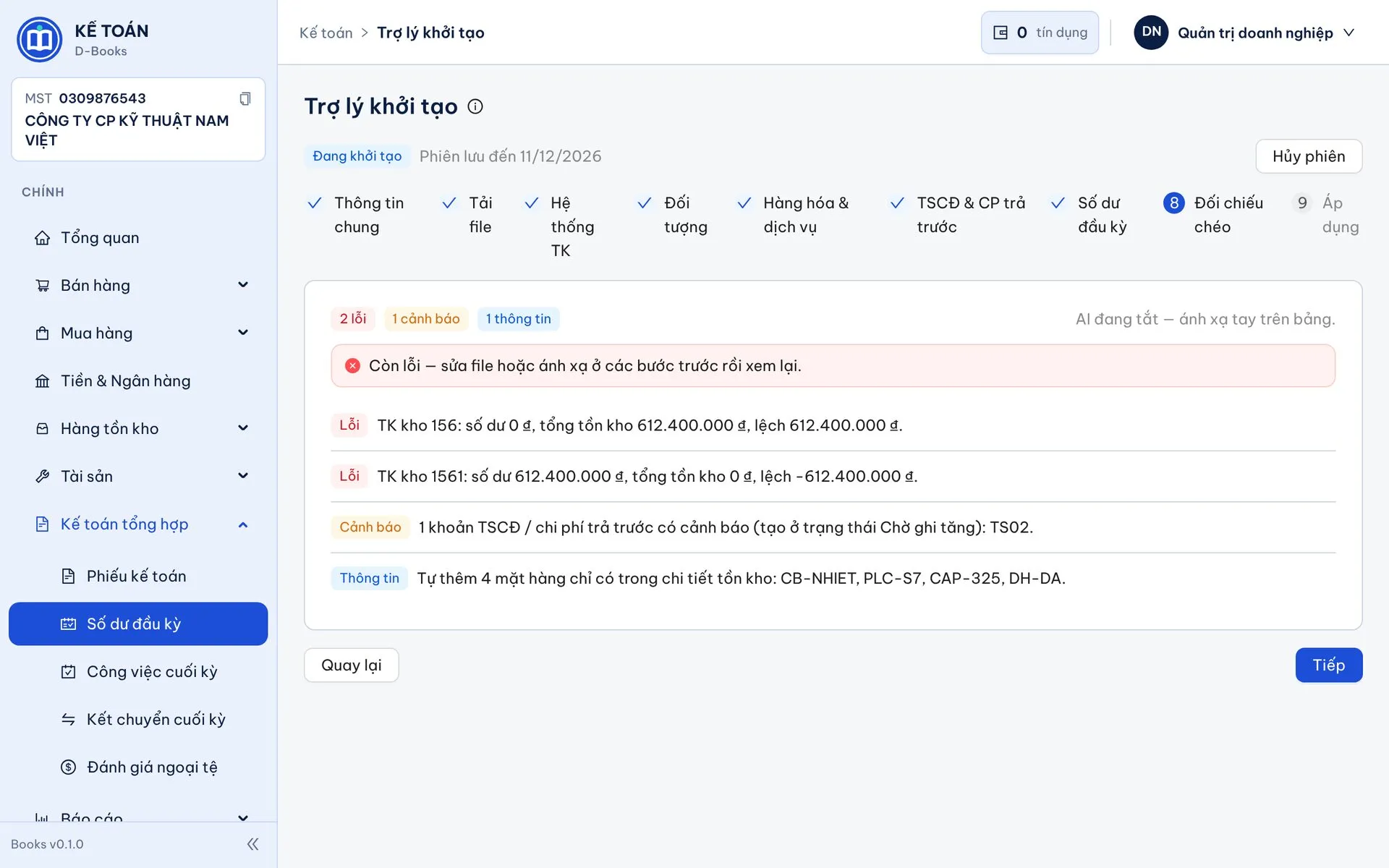
Invoices come from the tax portal with accounts already assigned
Connect D-Manage to your hoadondientu.gdt.gov.vn account once. Every night it downloads new purchase and sales invoices, including cash-register invoices, and applies the account and item rules you set per supplier.
- Automatic nightly sync across all four invoice types
- Account rules by tax code, item or keyword: "telecom" ⇒ 6427, "freight" ⇒ 1562
- Item rules map supplier lines to your stock items in D-Books
- Push to D-Books for free with no duplicates; also to Xero or Excel for Fast
Sales · Purchases
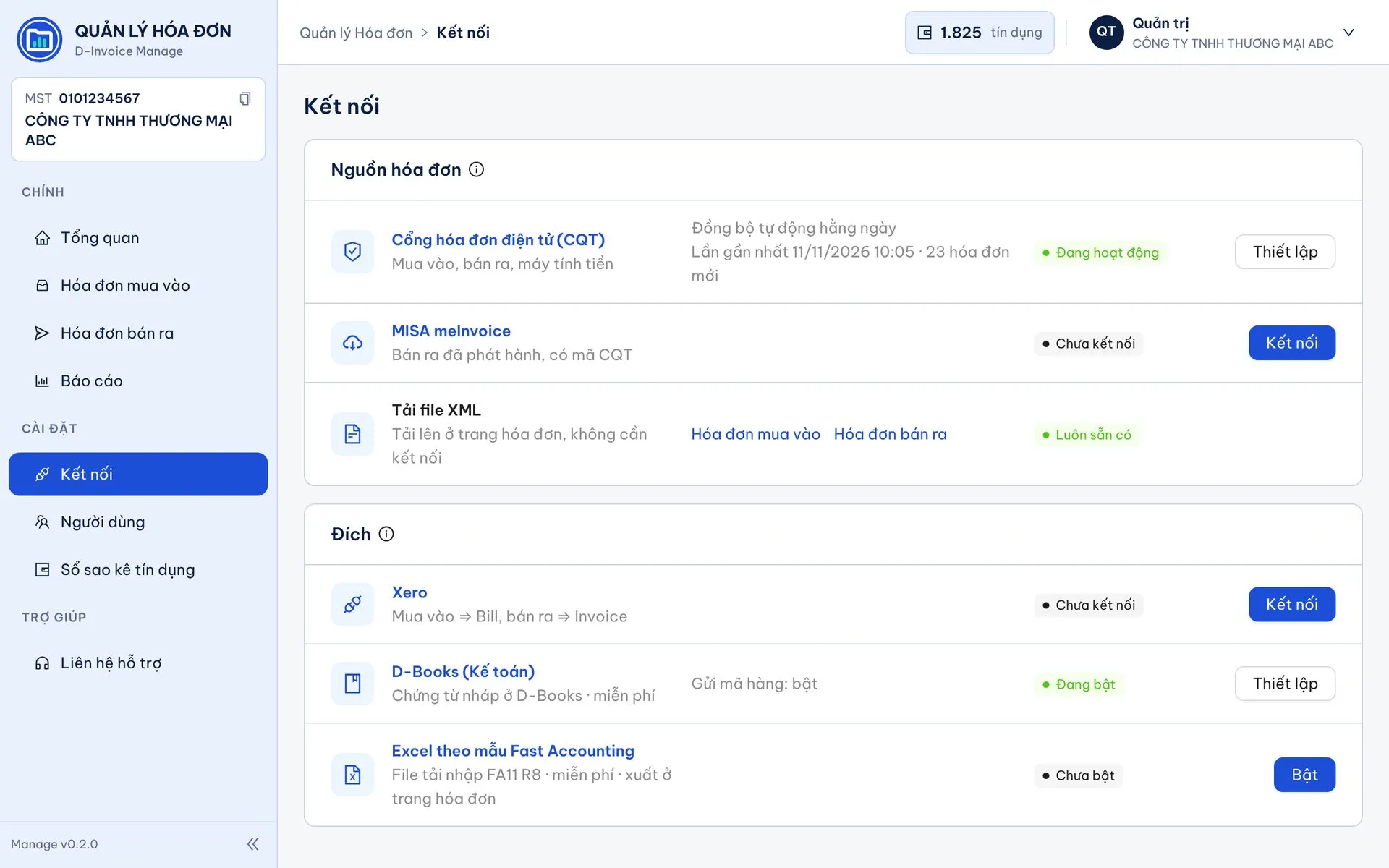
No re-keying, with posting suggestions
Each invoice from D-Manage becomes a draft in D-Books with lines, amounts and tax. For lines without an account, click Suggest to fill from your own posting history, or ask AI for new ones.
- Entries from D-Manage, XML files or bulk Excel import
- History-based suggestions are free; AI only fills empty lines
- Draft → Awaiting approval → Approved; creators cannot approve their own
- Record payments on the invoice; balances update instantly
Cash & Bank
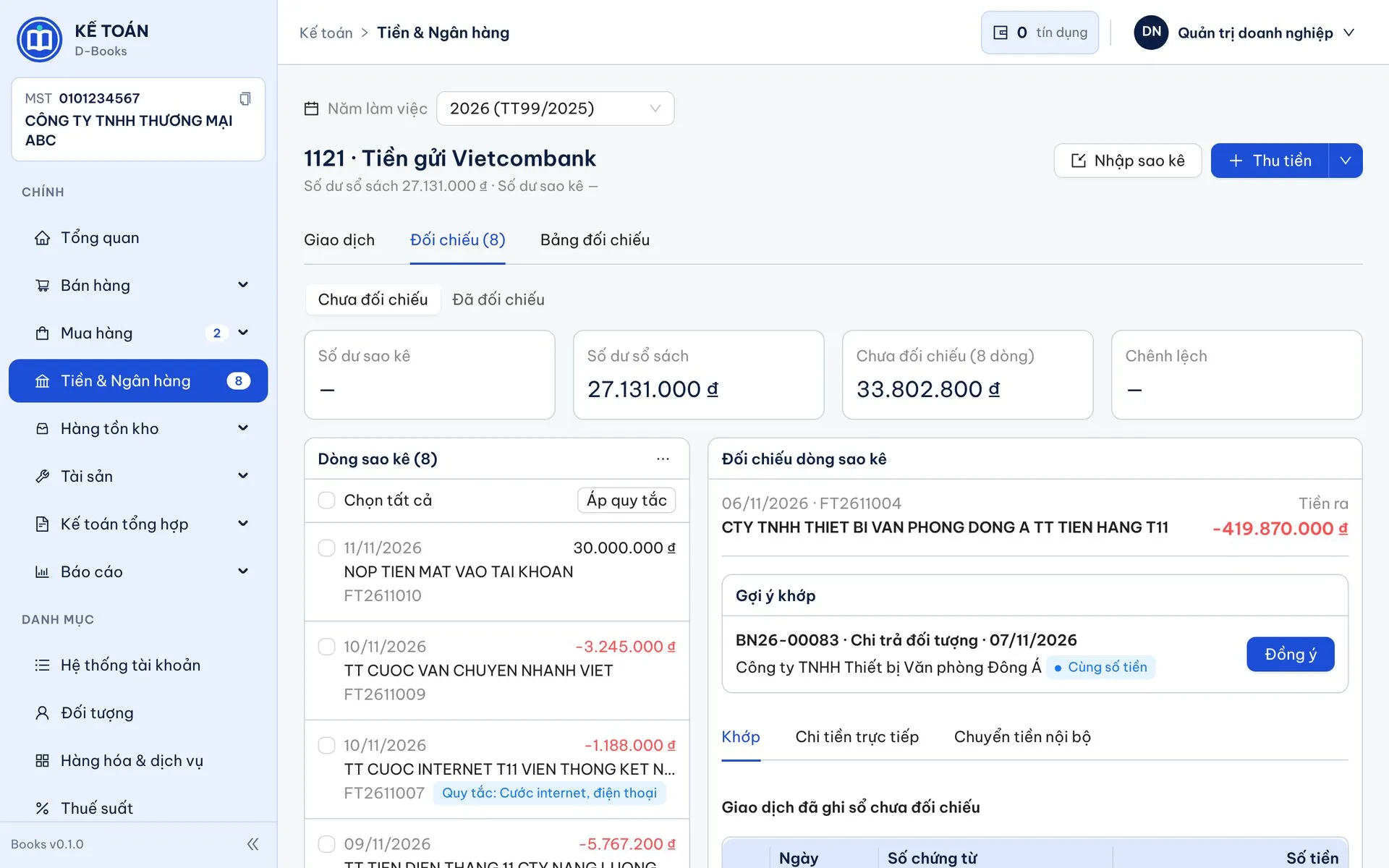
Import statements, auto-match, post by rules
A Xero-style reconciliation screen: statement lines on the left, suggestions on the right. Import Excel or CSV from any bank; when a posted transaction has the same amount and a close date, click OK.
- Matches on amount, ±7 days, reference or contact
- Pay invoices straight from a statement line, allocated by due date
- Bank rules for fees, interest and recurring items; Suggest or Auto mode
- Coming: transactions flow in through D-Bank, no file downloads
Stock · Assets · Period-end
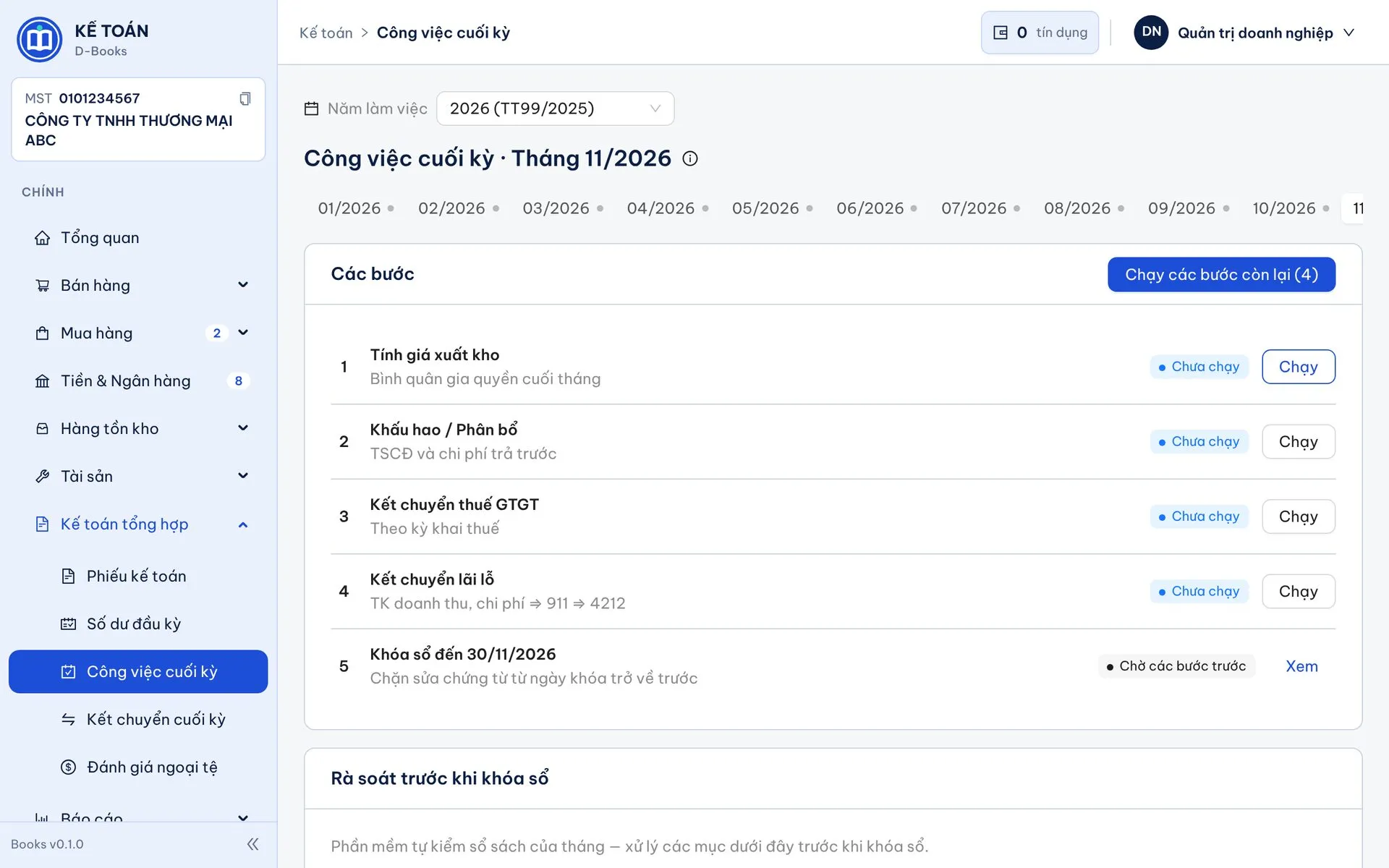
Stock, assets, tools and period-end run themselves
The period-end page runs everything in order: cost of goods, depreciation and amortisation, VAT and profit closing, then lock. One button runs the remaining steps; a pre-close review flags negative cash, possible duplicates and unusual costs.
- Monthly weighted-average cost; allocation of purchase costs
- Fixed assets created from purchase invoices; daily or monthly depreciation
- Tools and prepaid expenses amortised alongside depreciation
- Automatic closing entries; edits inside the period trigger "Re-run needed"
Reports
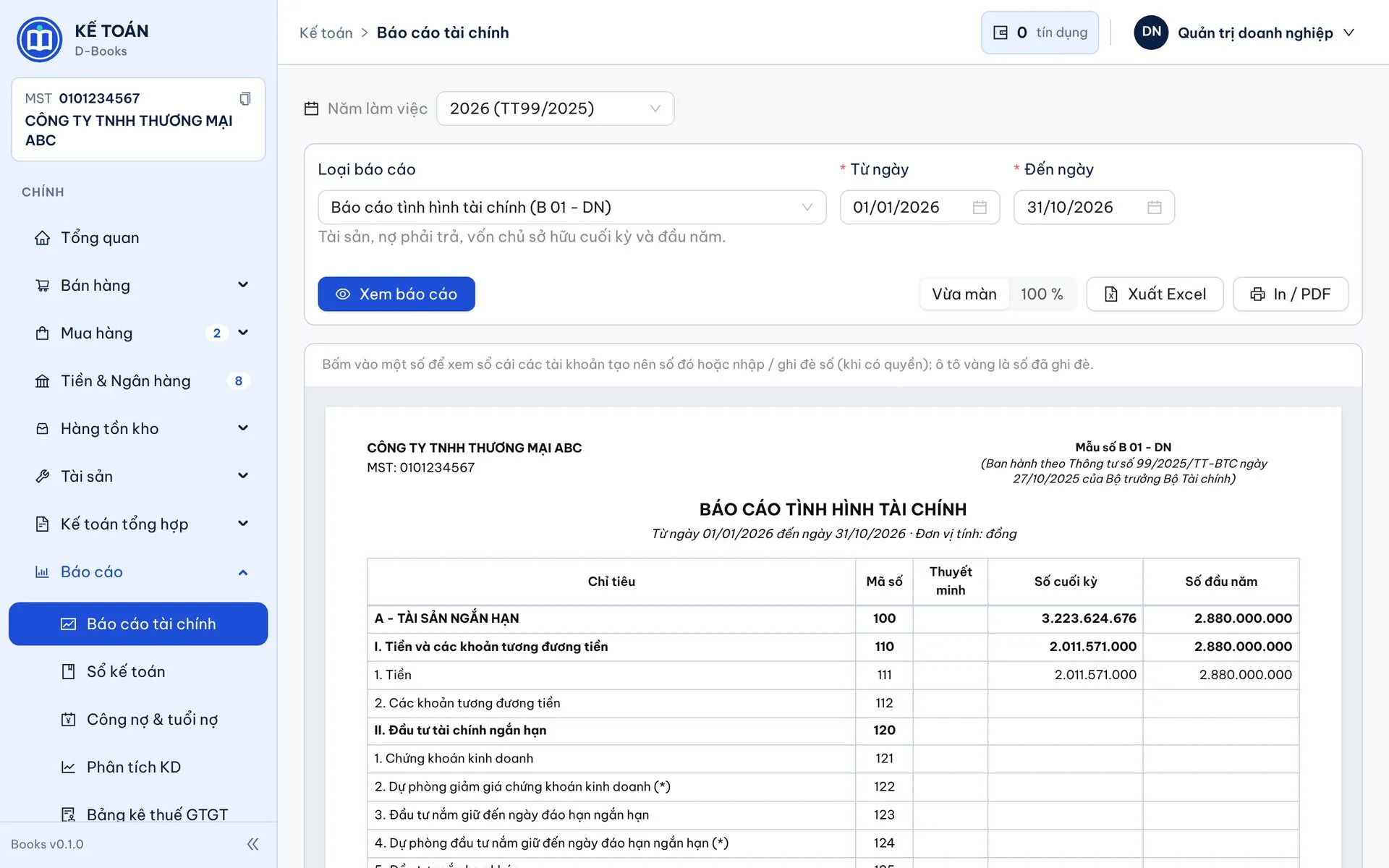
Full Circular 99 and 200 reporting, click any figure to drill down
The accounting regime follows the fiscal year: Circular 99 from 2026, earlier years stay on Circular 200, balances carry over automatically. Every report reads straight from the ledger; export to Excel or PDF.
- B01-DN, B02-DN, B03-DN with a built-in balance check
- General journal, general ledger, trial balance, cash and bank books
- VAT invoice lists, receivables, ageing and email reminders
- Business analytics, custom reports and AI questions on your numbers
One month of bookkeeping: the usual way vs D-Books + D-Manage
| Task | The usual way | With D-Books + D-Manage |
|---|---|---|
| Collect invoices | Log in to the tax portal, download XML one by one, check for gaps | D-Manage downloads every night; new invoices are ready by morning |
| Enter sales and purchases | Re-type every line, amount and tax | Select invoices and push them to D-Books as complete drafts |
| Choose accounts | Remember or look up last month’s postings | Supplier rules, history suggestions, AI for new lines |
| Bank reconciliation | Print statements, tick by hand, write vouchers | Import, click "OK" on suggestions; recurring items reconcile themselves |
| Month-end | Separate depreciation and costing spreadsheets; remember the order | One page, one button for the remaining steps, review before lock |
| Switching software | Days of re-entering lists, balances and open items | Upload files from the old system, cross-check, apply once |
Key features
- General ledger under Circular 99/2025 (Circular 200/2014 for earlier years), financial statements, books, receivables and payables
- Sales, purchasing, inventory (weighted average), fixed assets, prepaid expenses
- Cash & bank: statement import and reconciliation
- Assistant to migrate data from your old accounting software
- AI posting suggestions, period-end review and Q&A on your numbers (opt-in)
- Receives invoices from Invoice Management and payroll journals from D-Payroll
Other apps
Ready to modernise your accounting?
A free 30-minute call with a DIGITA consultant to find the right fit for your business. No strings attached.